No repeated data entry
Personal information and medical history entered during walk-in registration automatically become part of the patient record.
 zclinhealth
Give your front desk, dentists, and clinic owner a shared workspace. Keep patient records connected to visits and billing, and see what needs attention throughout the day.
Everything you need
No more juggling apps and spreadsheets. ZclinHealth is built for how dental clinics in the Philippines actually work.
Book, confirm, and track patient appointments with a clear status flow — from Confirmed to Visit Complete or No-show.
Manage walk-in and scheduled patients across dental chairs in real time. See who's waiting, who's in treatment, and who's done — at a glance.
Generate invoices and receipts. For long procedures like braces, dentures, and implants — track each installment payment and remaining balance automatically.
Track supplies with box/pack pricing, expiry dates, low-stock alerts, and supplier records.
Auto-calculate dentist commissions. Handle staff salary, pay periods, and cash advance deductions in one place.
Daily revenue, expenses, patient volume, dentist performance — all filterable by date range. Built for the clinic owner who wants real numbers, fast.
Track lab work from pending to delivered. Log patient, dentist, type, arch, pieces, and lab fees.
Smarter patient intake
Zclin connects front-desk registration with the clinical record, helping your team spend less time repeating information and more time caring for patients.
Personal information and medical history entered during walk-in registration automatically become part of the patient record.
Register walk-ins quickly from the clinic computer, whether or not every dentist has a dedicated tablet or workstation.
Keep contact details, medical history, allergies, appointments, treatment records, balances, and documents connected in one place.
Open the patient record directly from the treatment workflow, review history, and continue with dental charting and treatment notes.
New patients move from registration to queue, chair assignment, clinical record, and billing through one connected workflow—without asking staff to encode the same details twice.
A closer look
Explore three everyday workflows in the current interface. These previews use fictional demo records, never real patient information.
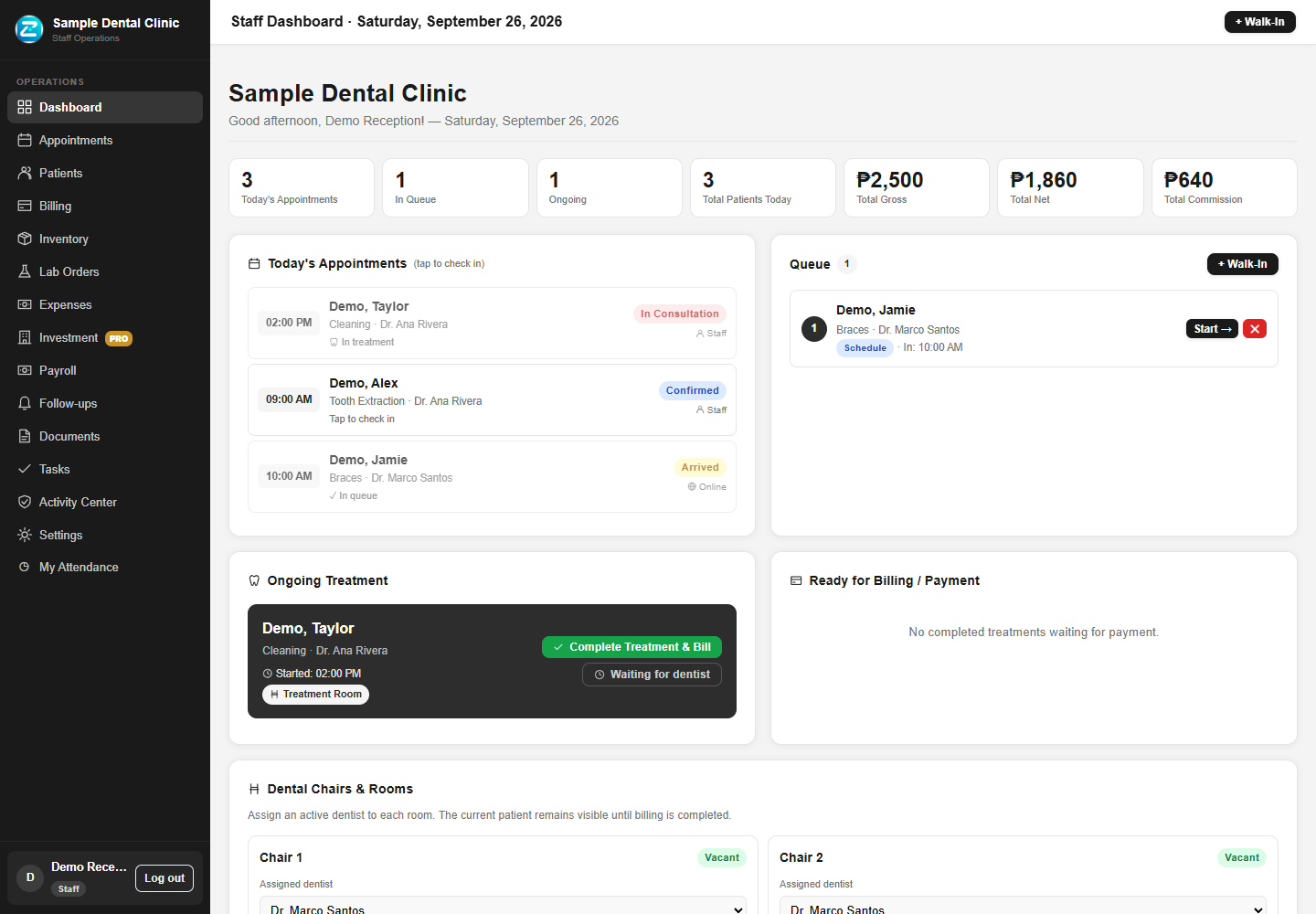
See appointments, the patient queue, and treatment activity in one workspace.
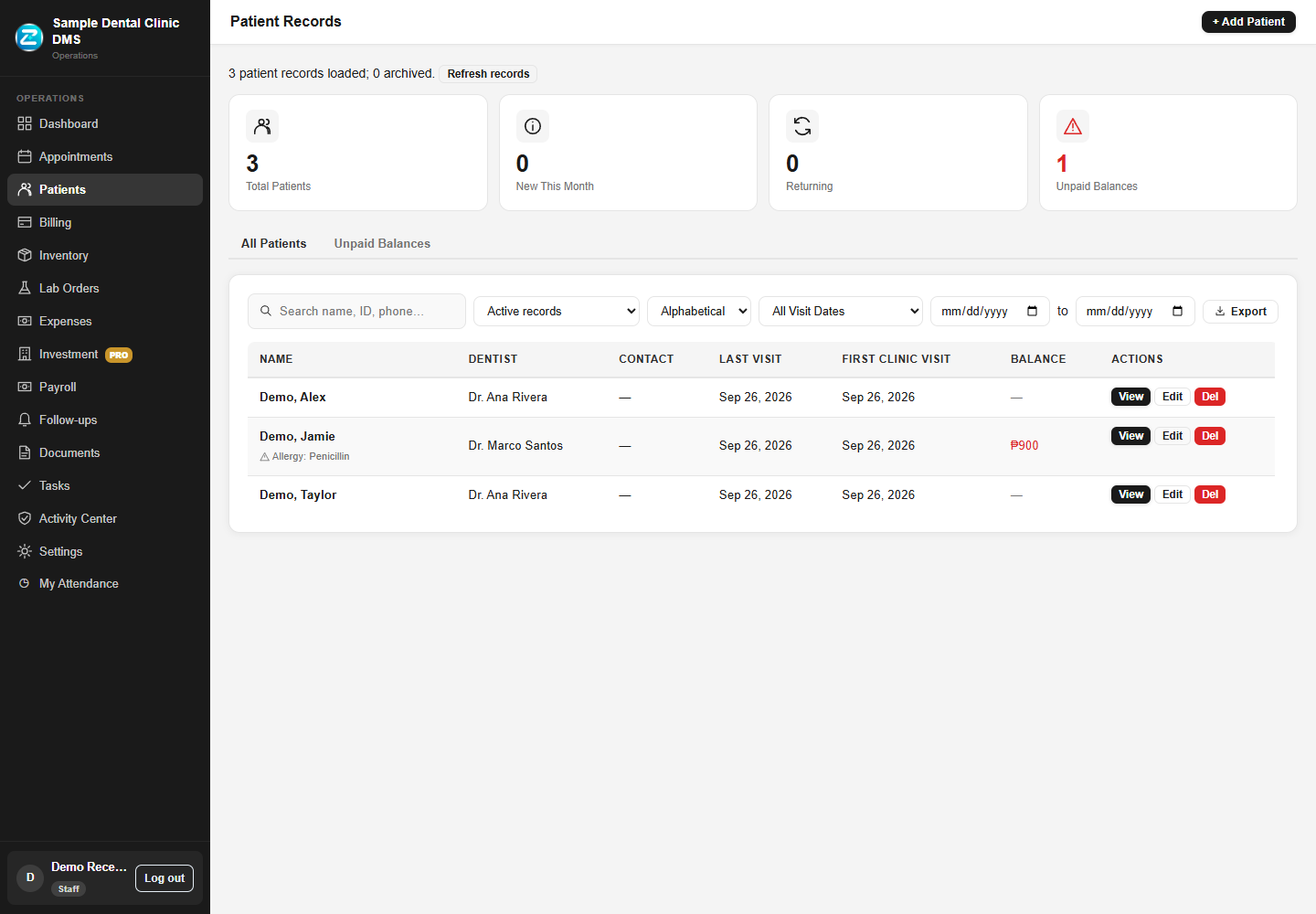
Open patient profiles and review the treatments and invoices linked to that patient.
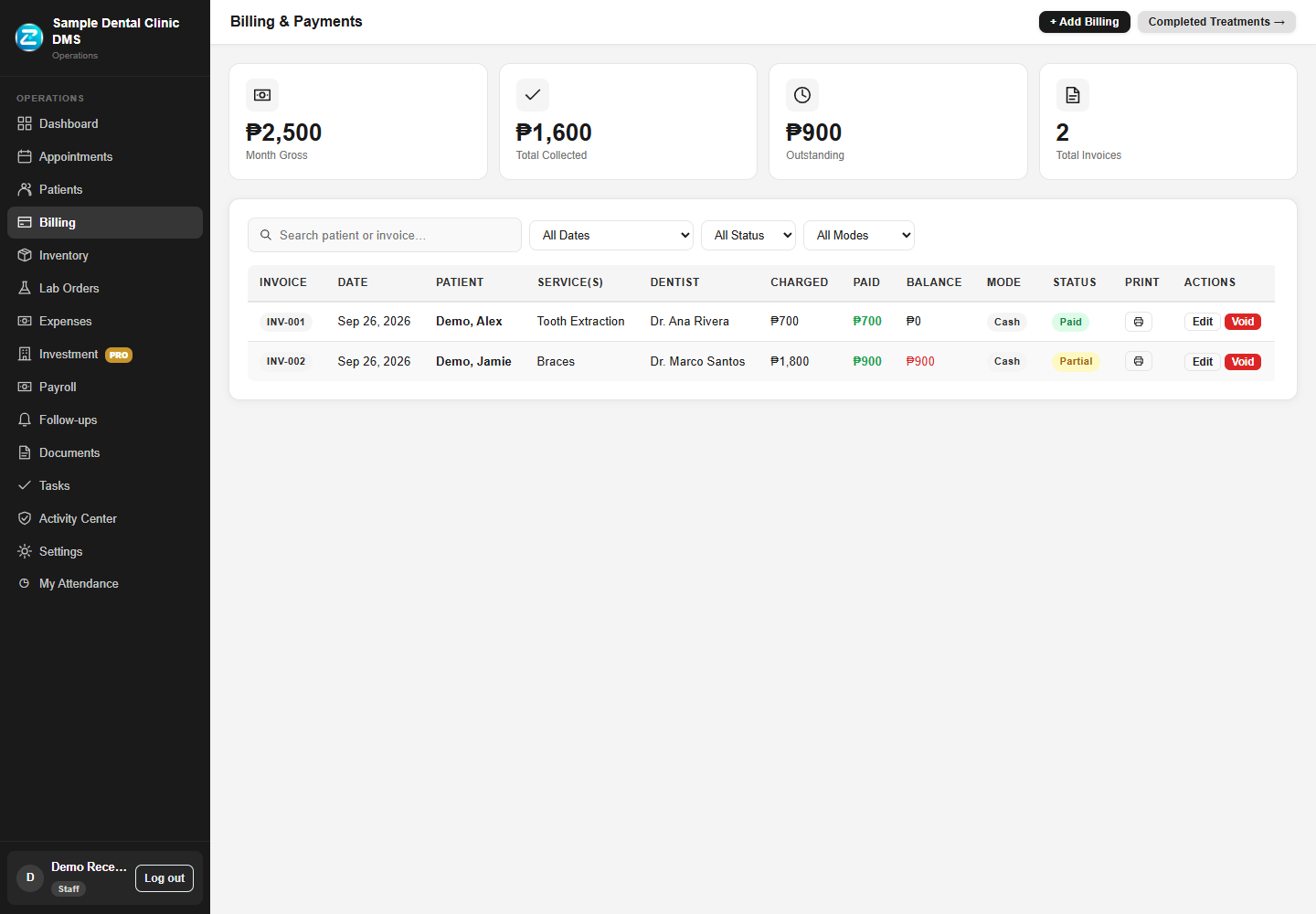
Review invoices, payment status, and remaining balances without searching through paper records.
Select a preview to enlarge it. Want to see a complete visit? Request a guided walkthrough.
Getting started
Open ZclinHealth in your browser with an internet connection. Discuss your clinic workflow and setup needs before getting started.
Simple pricing
Manage daily operations with Core, or add investment management and more team accounts with Pro.
Everyday tools for managing your dental clinic.
Core clinic operations
Get startedCore tools plus more accounts. Track equipment investments, financing balances, and capital contributions.
Investment Management included
Get startedNeed more accounts? ₱250 per additional staff or dentist account.
Ask us to confirm the billing frequency and total cost for your team before subscribing.
Tell us your team size and the tasks you want to simplify. Request a walkthrough before choosing a plan.
Opens Gmail with a ready-made demo request. Sign in if needed, review or edit the message, then click Send.
Use another email service? Open your email app or copy our address.
hello@zclinhealth.com
Please do not include patient information. A demo is arranged after we reply.